Upgrading to CalendarAnything LWC – FAQ
-
No, currently this is an optional upgrade. However, we are no longer continually developing and enhancing the CalendarAnything Classic package. All future enhancements and functionality will be rolled out on CalendarAnything Lightning Web Component. We plan to transition all classic clients to LWC by the end of 2026.
-
- CalendarAnything Lightning is $16.58 USD per user/per month–billed annually. $199 USD per user/ per year
- CalendarAnything Classic is $13.25 per user/per month – billed annually.
-
The CA Lightning implementation starts at $2,500 USD and includes 15 hours of support to ensure a seamless migration. This includes a discovery and calendar/data clean-up exercise(s), re-creation of calendars in Lightning, implementation of any new calendars/use case the team wishes to implement, including embedding dynamic calendars in Salesforce or Digital Experience, configuring global display settings for all users and/or training on the updated UI.
-
CalendarAnything is designed to be highly customizable, giving you complete control over how you visualize and manage your data. Whether you need a specific feature or a custom solution tailored to your business, we’re here to help!
Have a feature request or a custom development need? Let us know! Submit a case on our website at calendaranything.com or email us at [email protected]. Our team is ready to bring your vision to life.
-
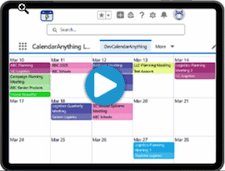
Improvements and new features exist in CalendarAnything LWC that do not exist in CalendarAnything Classic. Check out the video!
-
CalendarAnything LWC contains lots of great new features. Here are a few:
- Kanban View: The Kanban View provides multiple sorting and grouping options, enabling you to see important information at a glance. Multiple updating options also exist. Changes are instantly reflected on the view. Kanban functionality includes:
- Grouping
- Sorting
- Updating records with drag-and-drop
- Dynamic Row Addition
- Row and Column reAssigns
- Additional Grouping (Split by Dates)
- Sidebar Color Legend Filter: The Color Legend Filter enables you to filter calendar records using your sidebar by directly interacting with your calendar’s color legend without the need to enable the filter panel.
- Dynamic Conditional Coloring (Automated color coding): Dynamic Conditional Coloring automates the manual process of assigning colors for new lookup field values. The application detects a lookup field value that requires a color assignment and assigns the color for you.
- Availability Scheduling: The Availability Scheduling feature enables Salesforce appointment scheduling based on user-maintained availability. The feature supports availability of users combined with the availability of other resources such as equipment, contacts, and locations.
- Kanban View: The Kanban View provides multiple sorting and grouping options, enabling you to see important information at a glance. Multiple updating options also exist. Changes are instantly reflected on the view. Kanban functionality includes: