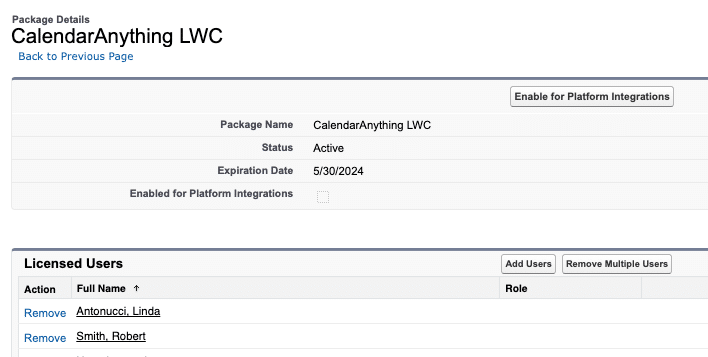
Assigning the CalendarAnything LWC License to a User
If your business has requirements that go beyond our out-of-the-box features, reach out - we offer custom development services for CalendarAnything to meet your unique needs.
This article shows you how to assign the CalendarAnything LWC license to a user.
Related Articles:
How to assign the CalendarAnything LWC license to a user
To assign the CalendarAnything LWC license to an individual user, follow these steps:
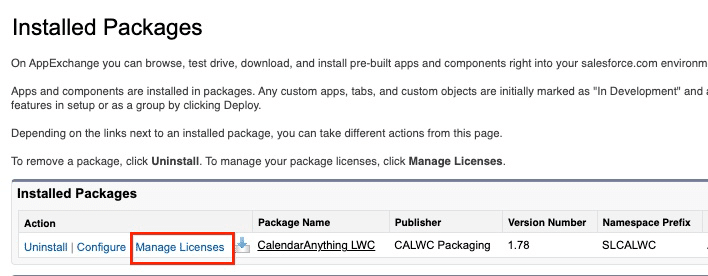
- Use the Salesforce Setup menu to search for and select the Installed Packages option.
- On the Installed Packages page, click Manage Licenses.
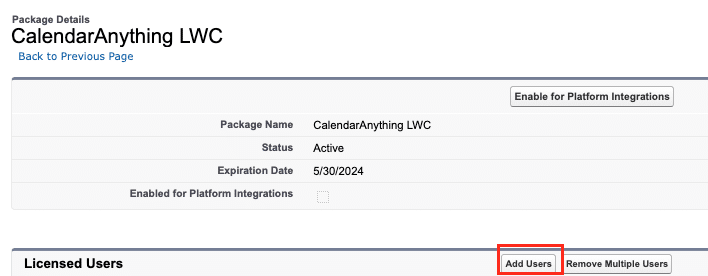
- On the Package Details page, click Add Users.
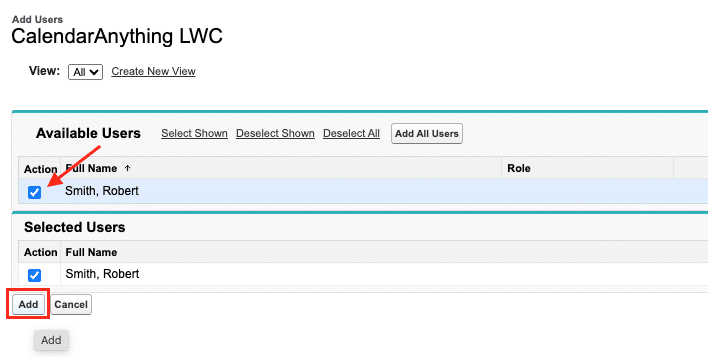
- On the Add Users page:
- Select the check box for the user being added to the license.
- Click Add.
The application shows the Package Manager page with the user added to the list of Licensed Users.