Benefits of Upgrading to CalendarAnything LWC
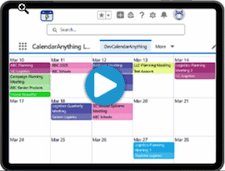
Still using CalendarAnything Classic? The LWC version brings CalendarAnything to a whole new level. Check out LWC interface benefits plus a few of the more exciting features. And be sure to check out the video to see what you’ve been missing!
Updated Interface
- Filters, views, and data updates are more dynamic and easier to perform without needing to reload the page or take many manual actions.
- Change views from a picklist on your current view.
- Quick Settings option to change your view-related General Settings either just for the session or as the new default set without leaving your calendar.
New Features
Here are just a few of the more exciting new features!
Availability Scheduling
Imagine no more back-and-forth when scheduling appointments and meetings! Availability Scheduling takes calendar booking to a whole new level.
- User-maintained availability
Users set their own availability and can make last-minute updates when they are going to unexpectedly be out of the office. - Option to omit Google and Outlook Calendar appointments from Availability
With a few steps, CalendarAnything can be configured to omit time slots from Availability calendars for dates and times booked on users’ shared Google and Outlook calendars. - Supports availability of users as well as resources such as equipment, contacts, and locations
Assume, for example, that some of your team members rotate among office locations. Availability calendars can show who is available, at what times, and where. Availability calendar users update their availability on an ad-hoc basis. If a user suddenly realizes they need to be out of the office on a given day, they can update their availability so that they no longer appear as available on that day.
Kanban View
Kanban View’s extensive sorting and grouping options enable you to tailor the view so your most important information stands-out at a glance. Multiple updating options also exist, and updates are instantly reflected on the view. Kanban functionality includes:
- Multiple Sorting Options
- Dynamic Row Addition
- Drag-and-drop re-assignment of records
- Sophisticated Grouping Options (Split by Dates)
Extensive Color-Coding Options
- Dynamic Conditional Coloring (Automated color coding): Dynamic Conditional Coloring automates the manual process of assigning colors for new lookup field values. The application detects a lookup field value that requires a color assignment and assigns the color for you.
- Sidebar Color Legend Filter: The Color Legend Filter enables you to filter calendar records using your sidebar by directly interacting with your calendar’s color legend without the need to enable the filter panel.
Watch the demo!